Workflow
From floor plan to as-built, in three steps
Every tool in the suite follows the same workflow — survey the site, generate the quote, hand off a clean deployment record. Here's what happens at each step.
Survey the site
Start from a floor plan and place every device exactly where it needs to go — cameras, doors, racks, panels, or drops — then draw the cable runs between them.
- Upload your existing floor plan
- Place devices and runs to scale
- Works for a single room or a whole building
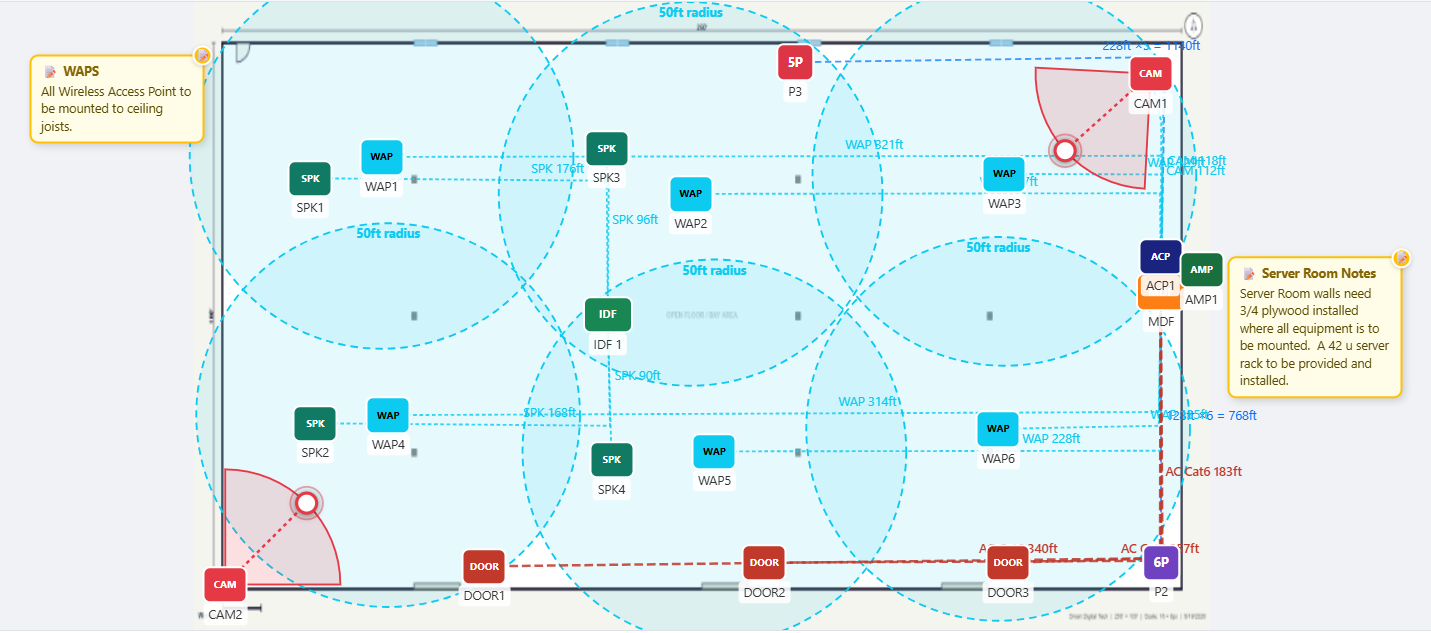
Generate layout, quote details and notes, task list and timeline
Every device, run, and note you've placed compiles into a complete quote package — a clean layout, itemized quote details, a task list for the crew, and an install timeline ready to attach to a proposal.
- Clean, printable layout
- Quote details, notes & task list
- Expected cost & install timeline
Deploy with a clean as-built
Hand your crew a documented plan instead of a memory. When the job's done, the as-built is already there for the next walkthrough or service call.
- Printable as-built documentation
- Shareable with crew and clients
- Reusable for service calls and upgrades
Flexible by design
Run the full planner, or just one tool
Not every job needs the whole suite. Jump straight into the tool that matches what you're working on today.
Questions
Common questions
Do I have to use every tool?
No. Each tool works on its own. Use LVDeploy for the whole job, or open a single tool like Security Camera Placement when that's all you need.
Is the Data Cabling Estimate Calculator really free forever?
Yes. No trial and no account required — it's free to use any time, even if you never start a trial of the rest of the suite.
What do I get out at the end of a job?
A bill of materials with labor estimates, exportable to Excel or PDF, plus an as-built record of every device and cable run you placed — ready to hand to your crew or attach to a proposal.
What happens after my 7-day trial?
Your projects stay yours. See the Pricing page for what happens next, or reach out to our team to talk through the right plan for your crew.